



Skip to content
View in the app

A better way to browse. Learn more.

Tip.It Forum

A full-screen app on your home screen with push notifications, badges and more.

To install this app on iOS and iPadOS
  1. Tap the Share icon in Safari
  2. Scroll the menu and tap Add to Home Screen.
  3. Tap Add in the top-right corner.
To install this app on Android
  1. Tap the 3-dot menu (⋮) in the top-right corner of the browser.
  2. Tap Add to Home screen or Install app.
  3. Confirm by tapping Install.

64 and the bonus exp weekend

(0 reviews)

I first went to chop on wilows, but my friend told me that ivys wernt that crowded, so I went to ivys.


Here I am after hour one:

10-03-12165150.png


Hour two:

10-03-12182254.png


Hour three:

10-03-12192301.png


Hour four and 64! :thumbup: :

10-03-12202250.png


Hour five:

10-03-12212856.png


Hour six:

10-03-12222854.png


Hour seven:

10-03-13124010.png


Well, thats about the end of my uber exp. :smile:


Got some summoning levels.

10-03-14231529.png


And this is my how many hours I racked up this weekend. I donno if this is an achievement, or a sign that I need to go outside.
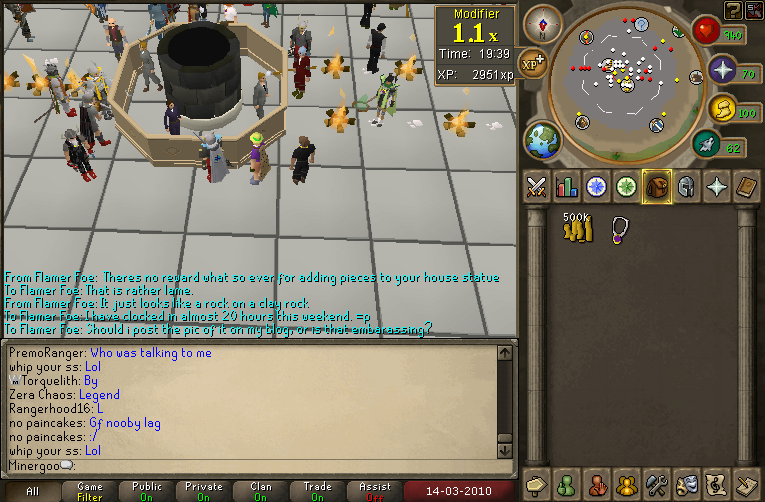
10-03-14232841.png

0 Comments

Recommended Comments

There are no comments to display.

Important Information

By using this site, you agree to our Terms of Use.

Account

Navigation

Search

Search

Configure browser push notifications

Chrome (Android)
  1. Tap the lock icon next to the address bar.
  2. Tap Permissions → Notifications.
  3. Adjust your preference.
Chrome (Desktop)
  1. Click the padlock icon in the address bar.
  2. Select Site settings.
  3. Find Notifications and adjust your preference.