



Skip to content
View in the app

A better way to browse. Learn more.

Tip.It Forum

A full-screen app on your home screen with push notifications, badges and more.

To install this app on iOS and iPadOS
  1. Tap the Share icon in Safari
  2. Scroll the menu and tap Add to Home Screen.
  3. Tap Add in the top-right corner.
To install this app on Android
  1. Tap the 3-dot menu (⋮) in the top-right corner of the browser.
  2. Tap Add to Home screen or Install app.
  3. Confirm by tapping Install.

They keep going up!

(0 reviews)

So, I haven't been able to play this week due to work and university work and such, but i still did get to play a little.


Here are some updates from my last entry to this.


First we have 82 fishing - which took ages (I dislike fishing):


82fish_zps22d1a029.png


as you can see I had been playing some fish flingers (when not completely afking it) and managed to start my way for the tackle boxes!


Next we have 83 fishing too!:
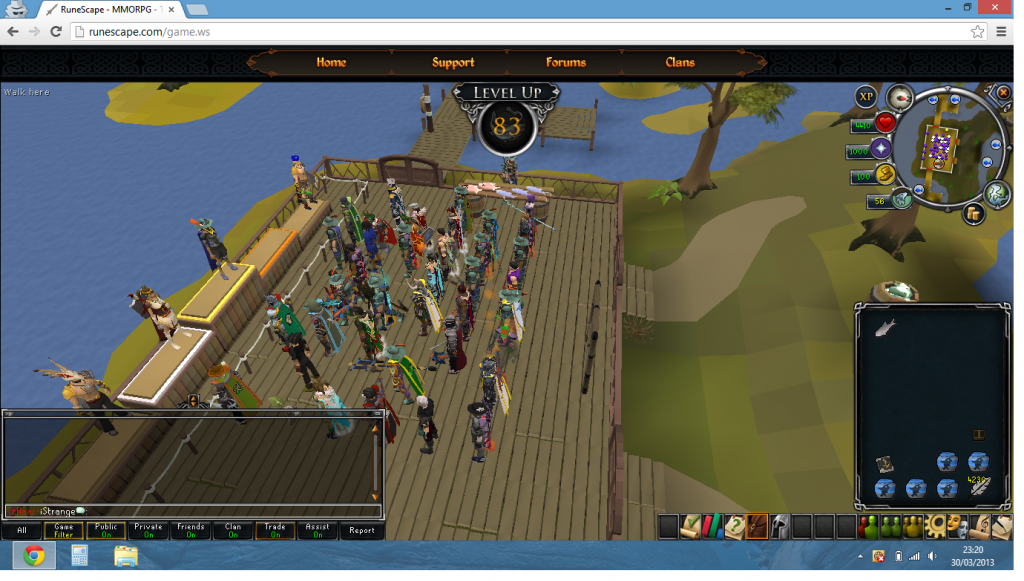
 

83fish_zpsa839d506.png


Not much else happening really. I've began my hard work at revising for my University modules, as I have 8 exams in May so won't be on as much as I like from now onwards. I still am coming on to do farming runs and POP, so look out for those updates!


As always, PM me in game (iStrange) if you want to share any tips, or want any tips, I always have my private on!


Until next time,


Lucky Luke.

0 Comments

Recommended Comments

There are no comments to display.

Important Information

By using this site, you agree to our Terms of Use.

Account

Navigation

Search

Search

Configure browser push notifications

Chrome (Android)
  1. Tap the lock icon next to the address bar.
  2. Tap Permissions → Notifications.
  3. Adjust your preference.
Chrome (Desktop)
  1. Click the padlock icon in the address bar.
  2. Select Site settings.
  3. Find Notifications and adjust your preference.