



Skip to content
View in the app

A better way to browse. Learn more.

Tip.It Forum

A full-screen app on your home screen with push notifications, badges and more.

To install this app on iOS and iPadOS
  1. Tap the Share icon in Safari
  2. Scroll the menu and tap Add to Home Screen.
  3. Tap Add in the top-right corner.
To install this app on Android
  1. Tap the 3-dot menu (⋮) in the top-right corner of the browser.
  2. Tap Add to Home screen or Install app.
  3. Confirm by tapping Install.

20th February update!
(0 reviews)

Heres the update on whats new and happening within the game for me!


Completed a few quests,

  • jungle potion
  • shilo village

Gonna do one small favour for the 2 10k exp lamps for slayer!


got pray up a few levels :)


Getting extremly frustrated with the amount of slayer tasks im getting where i cant use a cannon!


got killerwats 3 time in a row after each being cancelled (by going to burthorpe guy)


However!!


after a few moss giant tasks (woo) i am starting to catch HP in slayer.


also range is now starting to progress witch also helps when it comes to needed mage protect ha!


working out to be really expensive as well, but im going to try and keep all my slayer claims till the end (gonna be so hard)

just so we can work out the profit/loss margain!


anyways, hope you are all doing well! nobody has added me in game or anything to join me in the fun ;(


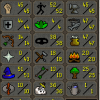
hers a quick screeny to show you how im doing! chow!


rxqa.png

0 Comments

Recommended Comments

There are no comments to display.

Important Information

By using this site, you agree to our Terms of Use.

Account

Navigation

Search

Search

Configure browser push notifications

Chrome (Android)
  1. Tap the lock icon next to the address bar.
  2. Tap Permissions → Notifications.
  3. Adjust your preference.
Chrome (Desktop)
  1. Click the padlock icon in the address bar.
  2. Select Site settings.
  3. Find Notifications and adjust your preference.