Skip to content
View in the app

A better way to browse. Learn more.

Tip.It Forum

A full-screen app on your home screen with push notifications, badges and more.

To install this app on iOS and iPadOS
  1. Tap the Share icon in Safari
  2. Scroll the menu and tap Add to Home Screen.
  3. Tap Add in the top-right corner.
To install this app on Android
  1. Tap the 3-dot menu (⋮) in the top-right corner of the browser.
  2. Tap Add to Home screen or Install app.
  3. Confirm by tapping Install.
  • Entries

    2
  • Comments

    2
  • Views

    5197

About this blog

A place for my achievements, an archive of RuneScape

Entries in this blog

Cooking to 99!

I've decided to strive for 99 Cooking! It shouldn't be too bad, in fact, it should be one of my fastest 99's yet! Coming in around a short speed of about 33-36 hours before getting from 89-99. Fletching, I believe, only took a minimum of 40-45 hours! I'll be grinding through this skill over the next week, and I hope to get to 99 by Friday and/or Saturday! And yes of course, I'm having a party to celebrate it, like every noob would, and like I've done with every 99 that I've gotten!


I'll post an event later on this week, stay tuned!


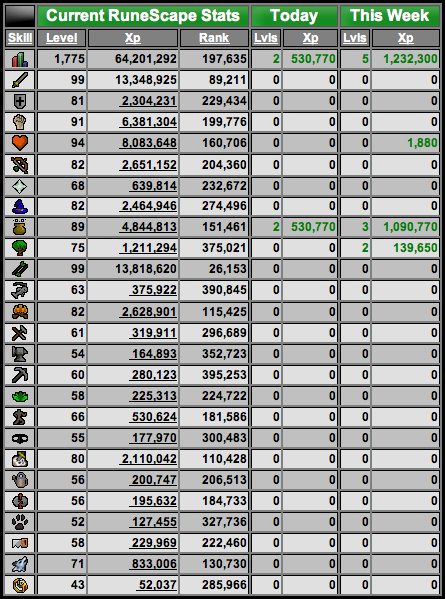
Here's some pictures and achievements that I got today!
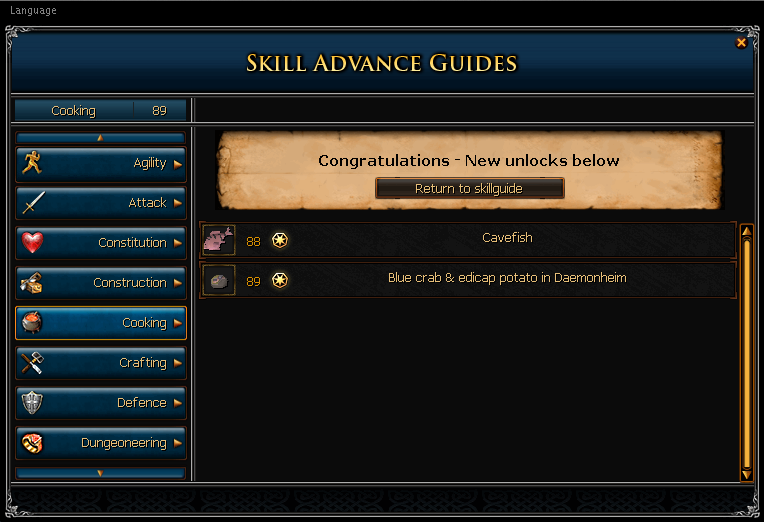
 

ScreenShot2012-02-27at14258AM.png


ScreenShot2012-02-27at15034AM.png


Tl;dr, I'm going for 99 Cooking, hopefully getting by weekend, might have a party! :shades:

Important Information

By using this site, you agree to our Terms of Use.

Account

Navigation

Search

Search

Configure browser push notifications

Chrome (Android)
  1. Tap the lock icon next to the address bar.
  2. Tap Permissions → Notifications.
  3. Adjust your preference.
Chrome (Desktop)
  1. Click the padlock icon in the address bar.
  2. Select Site settings.
  3. Find Notifications and adjust your preference.