3rd Age, again (0 reviews) Share https://forum.tip.it/blogs/entry/1763-3rd-age-again/ Share on X Share on Facebook {lang="reddit_text" Share on Pinterest More sharing options... Followers
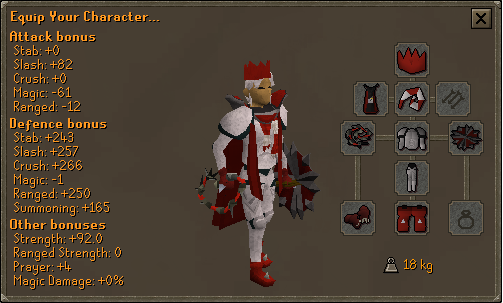
Bows Members July 6, 201016 yr Author stats Nice, pretty good looking outfit. Though I suggest normal red gloves.
Gradeskip Members July 6, 201016 yr Author stats Play some fog to charge the gloves :) Get kite next!
Obtaurian Members July 7, 201016 yr Author stats Nice, pretty good looking outfit. Though I suggest normal red gloves. I hate it when people wear these expensive outfits with Canifis gloves and boots. I also hate solid colored outfits (full dragon with attack cape, red gloves, red boots).
Saru Inc Members July 7, 201016 yr Author stats Nice, pretty good looking outfit. Though I suggest normal red gloves. I hate it when people wear these expensive outfits with Canifis gloves and boots. I also hate solid colored outfits (full dragon with attack cape, red gloves, red boots). preach like a sermon at the beach I'd suggest barrow gloves. I think they look splendid with dragon.





Recommended Comments