Skip to content
View in the app

A better way to browse. Learn more.

Tip.It Forum

A full-screen app on your home screen with push notifications, badges and more.

To install this app on iOS and iPadOS
  1. Tap the Share icon in Safari
  2. Scroll the menu and tap Add to Home Screen.
  3. Tap Add in the top-right corner.
To install this app on Android
  1. Tap the 3-dot menu (⋮) in the top-right corner of the browser.
  2. Tap Add to Home screen or Install app.
  3. Confirm by tapping Install.

5 Comments

Recommended Comments

Synthox

Members

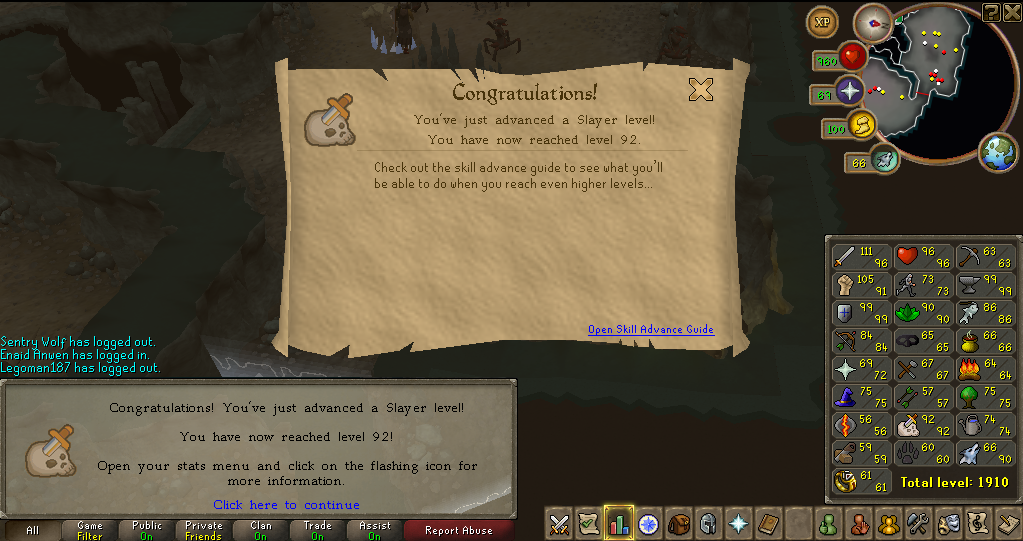
I can't wait till I can get there...


Nice though, I remember how excited I was halfway to 99 cooking...

Quyneax

Members

Congratulations.

deletemeplease

Members

Take my hand and we'll make it - I swear, Livin' on a prayer!

RichardG

Members

/jealous


Keep it up though. Slow and steady wins the...oh wait.

Synthox: Yeah it's really awesome yet daunting when you reach half way :3 However I must say.... 92-97 attack has gone really quickly :o SO maybe slayer will feel the same?


Quyneax: Thanks :) <3:


Zokot: <3: heheheheh <3:


RichardG: :D No need for slow and steady.... Somehow... I've ended up getting ~200k exp a day from really really really good cannon tasks, daggs, velds etc, slowed down a little this level and 93 will be the last one until easter I guess as I have exams to revise for and an essay to write... I just want 93 out the way now :P

Important Information

By using this site, you agree to our Terms of Use.

Account

Navigation

Search

Search

Configure browser push notifications

Chrome (Android)
  1. Tap the lock icon next to the address bar.
  2. Tap Permissions → Notifications.
  3. Adjust your preference.
Chrome (Desktop)
  1. Click the padlock icon in the address bar.
  2. Select Site settings.
  3. Find Notifications and adjust your preference.