



Frogster Impersonating Jagex On Facebook

By Omali
· 1488 views
I promised I would try to get my Runescape related articles posted here, here is my latest
The Blokes At ROM
I was going about my daily Facebook activities (posting creepy Woody pictures), and lo and behold, I came across the following ad:

You'll notice that this ad links to "secure.jagex.com," and I quite honestly expected that this was either A.) a scam ad that managed to get through, or B.) Jagex was advertising on Facebook, which I don't believe that they do (with my activities, I've seen almost every MMO developer that advertises on Facebook). So naturally I clicked on the ad, and was taken here
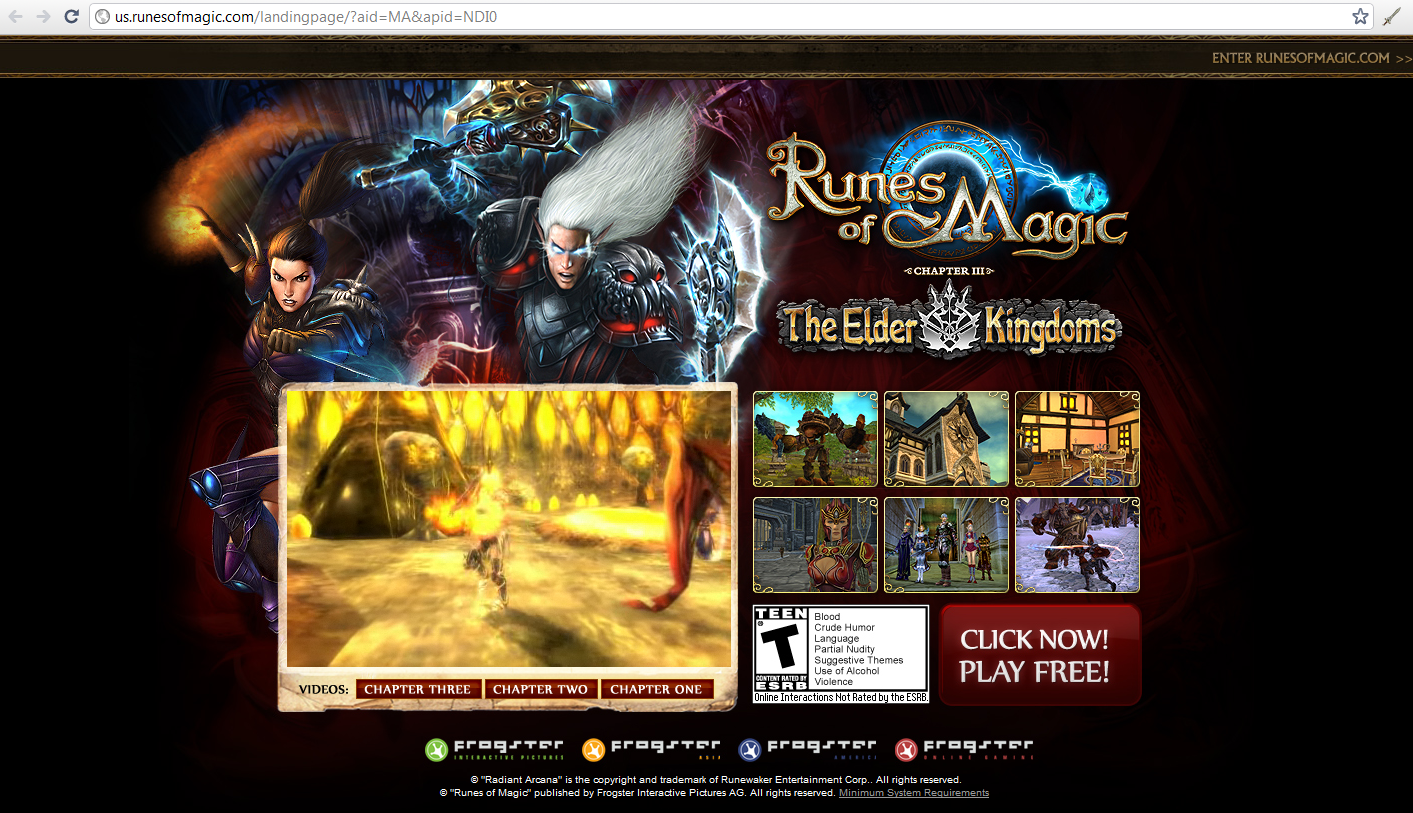
Really? Runes of Magic? Take one more look at the URL in the Facebook ad. "secure.jagex.com." The screenshot in the ad appears to be from Runes of Magic, but someone who has never played either game wouldn't know that. The ad does do a good job of tip-toeing around, but outright claims to be Jagex by inserting a false link to Jagex.com. This isn't parody like Global Agenda's ads or Rift's "We're not in Azeroth anymore." This ad is explicitly misleading people into believing they are viewing an ad for a Jagex product, when really they are being directed to Runes of Magic.
Facebook is already aware of the fraudulent ad, and information has been forwarded to Jagex's legal department. If this is a third party ad agency, Frogster needs to drop them before they wind up on the receiving end of a false advertising (and likely fraud) lawsuit. If this is Frogster's doing, someone in the advertising office should be getting his pink slip, yesterday.
Recommended Comments