



Skip to content
View in the app

A better way to browse. Learn more.

Tip.It Forum

A full-screen app on your home screen with push notifications, badges and more.

To install this app on iOS and iPadOS
  1. Tap the Share icon in Safari
  2. Scroll the menu and tap Add to Home Screen.
  3. Tap Add in the top-right corner.
To install this app on Android
  1. Tap the 3-dot menu (⋮) in the top-right corner of the browser.
  2. Tap Add to Home screen or Install app.
  3. Confirm by tapping Install.

The Ultra-Nooby 99 - Strength, Maxed Melees and 135 Combat
(0 reviews)

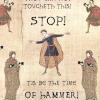
Kinda messed up the image as it was a surprise to me too.... I was getting 'close' to 99 on Draz when all of a sudden the noob got hit loads and therefore I 99'd :P


Thanks to Kandy, Enaid, Draz and Oct for being there. Serp you logged out too early and Triquos you were lobbied :(


maxedmelees.png

4 Comments

Recommended Comments

Triquos

Members

Grats Ez!

Octarine

Members

nub <3

Triquos

Members

Serp you logged out too early and Triquos you were lobbied


Nice of you to point the finger at Triq and Serp for not being there. People have real lives you know, you should respect that. Not everyone can fit around your time table. Sorry but I bit my lip for so long and tried to make every event but it's not my fault we're in different time zones, and there was no need to blame others for not showing up. This was one of a few reasons I can no longer be friends with you, sorry. Good luck on your goals.

Important Information

By using this site, you agree to our Terms of Use.

Account

Navigation

Search

Search

Configure browser push notifications

Chrome (Android)
  1. Tap the lock icon next to the address bar.
  2. Tap Permissions → Notifications.
  3. Adjust your preference.
Chrome (Desktop)
  1. Click the padlock icon in the address bar.
  2. Select Site settings.
  3. Find Notifications and adjust your preference.