Skip to content
View in the app

A better way to browse. Learn more.

Tip.It Forum

A full-screen app on your home screen with push notifications, badges and more.

To install this app on iOS and iPadOS
  1. Tap the Share icon in Safari
  2. Scroll the menu and tap Add to Home Screen.
  3. Tap Add in the top-right corner.
To install this app on Android
  1. Tap the 3-dot menu (⋮) in the top-right corner of the browser.
  2. Tap Add to Home screen or Install app.
  3. Confirm by tapping Install.

Zombies>Dragons

(0 reviews)

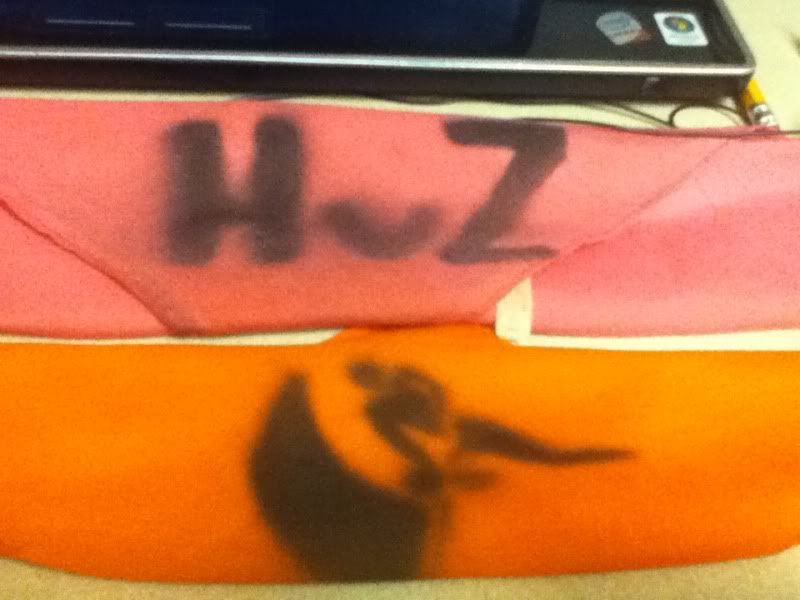
HvZ.jpg


It's okay if you don't know what these headbands mean. But right now, the most nerdy thing has interrupted my life. I'm talking about Humans Verse Zombies, aka HvZ. Explaining HvZ here would take a while, so I encourage my readers (which to my knowledge is just Kaida) to read all about it on Wiki if they wanna know what it is about. I am actually happy about this game. At first, I wasn't gonna play, but I signed up at the last minute and then willingly died to become a zombie. KILL ALL HUMANS!


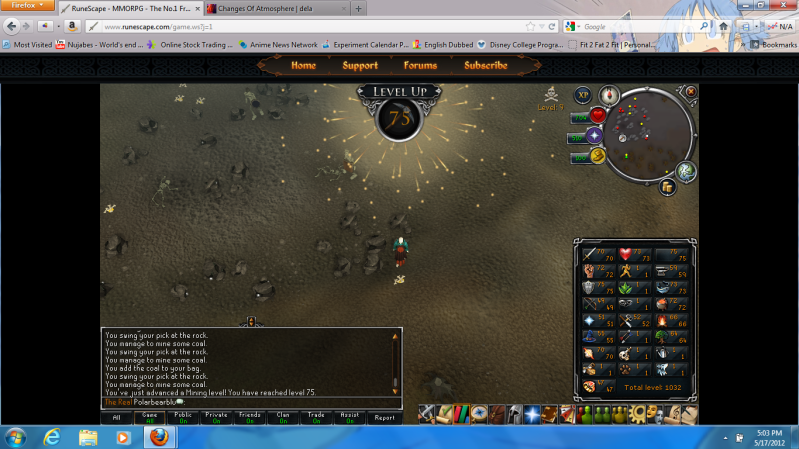
On another note, I totally forgot steel bars require 2 coal ores. In any event I mine 2k for my friend, but with steel prices dropping I don't know how he's gonna make a lot of money.


I was also planning to mine to 80, or 35k irons ores, or 35k coal. But after losing a duel to a clan mate with 68 range, I decided to break and do some range. So 60 range, 80 mining, then 80 defense. And by the way.
 

75Mining.png

3 Comments

Recommended Comments

I took your advice and looked it up (hey, when a post mentions me by name I listen :P ) and HvZ looks like lots of fun. I hope you're enjoying it.


Congrats on 75 Mining. Good luck with mining all that coal. :thumbup:


btw - I don't know if you know, but if you don't want to see all that "You swing your pick...mine some...blah blah...", just right click on 'Game' and change it from 'all' to 'filter'. You won't see all the repetitive action messages, but it will still show you important stuff you need to see. It was one of the best updates ever. :)

PolarBearBlue

Members

O_O. That actually helps out a lot. Allows me to actual see the public/clan chats now. Thanks.

Important Information

By using this site, you agree to our Terms of Use.

Account

Navigation

Search

Search

Configure browser push notifications

Chrome (Android)
  1. Tap the lock icon next to the address bar.
  2. Tap Permissions → Notifications.
  3. Adjust your preference.
Chrome (Desktop)
  1. Click the padlock icon in the address bar.
  2. Select Site settings.
  3. Find Notifications and adjust your preference.