



There is just so much to do...

· 1082 views
...in members. I mean, wow. I know it will get boring after I finish all the quest and get 65+ stats, but wow. There is just so much to do. This game is jammed pack with content that I think, justifies it's cost 9in terms of money).
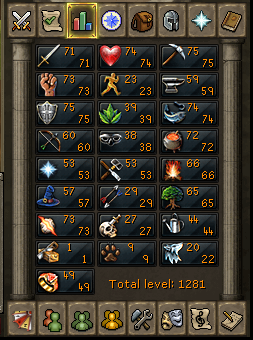
So for my first week of members I did skill and monster hunting. I had planned to do a lot quest, but I forgot just how much some quest can suck. Fremennik Trials was fun, but long... and got frustrating. But the real frustrating part wasn't the quest, it was the monster hunts. I died 5 time since monster hunting and tele'd out of danger so many times you'd think I was Houdini. I tried God Wars, Dagannoth Kings, Kalphite Queen, Barrows, Giant Mole, and King Black Dragon. Sadly, I can only do the last three without failure (KBD in a group only).
I also fell in love Farming and Herblore and I have a strong desire to do Summoning. I just hate that I have to do combat to get those charms. And the places are pretty cool too.
So, my plans about earn 99s as a F2P, out the window. I have accidentally earned exp in every F2P skill but cooking and Runecrafting. So that plan is done. But you know what, it's okay.
Aside from P2P excitement, I have final coming up, so I have to study. I'll be playing a lot less, doing only herb runs for study breaks. Hope finals go well. Anywho, happy 'Scaping. I'm gonna go try Construction now.
Recommended Comments