




Skip to content
View in the app

A better way to browse. Learn more.

Tip.It Forum

A full-screen app on your home screen with push notifications, badges and more.

To install this app on iOS and iPadOS
  1. Tap the Share icon in Safari
  2. Scroll the menu and tap Add to Home Screen.
  3. Tap Add in the top-right corner.
To install this app on Android
  1. Tap the 3-dot menu (⋮) in the top-right corner of the browser.
  2. Tap Add to Home screen or Install app.
  3. Confirm by tapping Install.

Offically members

(0 reviews)

Jagex is a troll. A very evil troll. Today had plans to log on and do dungeon and mining when I was "informed" I qualify for 2 week free members trial. Now in two weeks I was gonna go members. I also remember the last time they informed me, I today them I was not ready, and I never saw that pop up again. So since I was going to do it soon, I figured I'd go ahead and tell them yes. It's free, and while finals are coming up, I don't expect it to distract me anymore than it already does. Besides, I'm a 7 year player. They kinda owe me.


Anywho, I didn't mine yestrday but I did some dungeoneering (ang this morning while bored as hell too), thou I forget to get a sceenshot everytime I lvl up. I also un exceptedly lvled up fishing while there. I was a little quicker on that one.
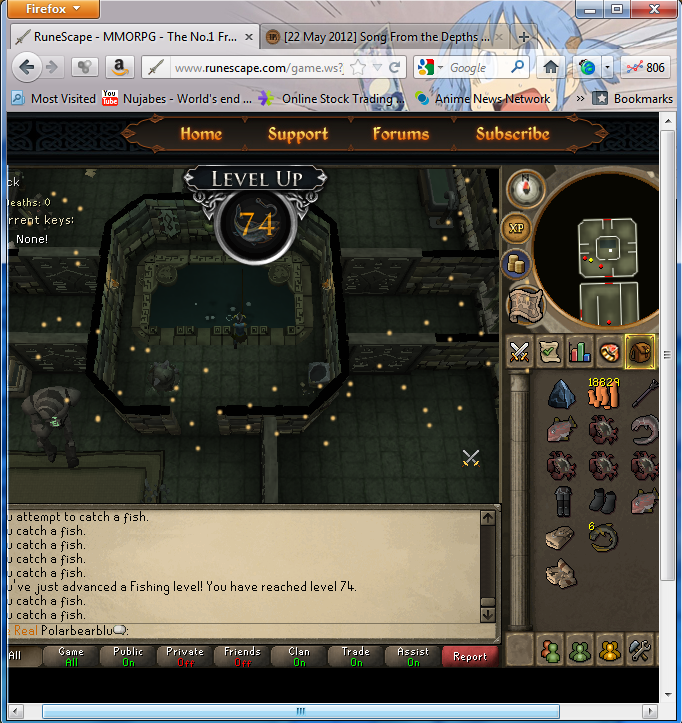
 

74fishing.png


Gonna update my plans for what I plan to do in members later. Maybe. Actually i think I'm gonna nap then do some more reading for class. I am really tired.

2 Comments

Recommended Comments

They just try and getcha any way they can, don't they?


Good luck with your month and a half of members. Who knows, you might decide you like enough to stay.

PolarBearBlue

Members

They just try and getcha any way they can, don't they?Good luck with your month and a half of members. Who knows, you might decide you like enough to stay.


Yea...they won this time. They know just when to get you. I feel so ashamed. But as I planned, I'll only be staying until the end of August. school comes first, and I only took it now because it was free.

Important Information

By using this site, you agree to our Terms of Use.

Account

Navigation

Search

Search

Configure browser push notifications

Chrome (Android)
  1. Tap the lock icon next to the address bar.
  2. Tap Permissions → Notifications.
  3. Adjust your preference.
Chrome (Desktop)
  1. Click the padlock icon in the address bar.
  2. Select Site settings.
  3. Find Notifications and adjust your preference.