



Skip to content
View in the app

A better way to browse. Learn more.

Tip.It Forum

A full-screen app on your home screen with push notifications, badges and more.

To install this app on iOS and iPadOS
  1. Tap the Share icon in Safari
  2. Scroll the menu and tap Add to Home Screen.
  3. Tap Add in the top-right corner.
To install this app on Android
  1. Tap the 3-dot menu (⋮) in the top-right corner of the browser.
  2. Tap Add to Home screen or Install app.
  3. Confirm by tapping Install.

Penguin Transformation ENGAGE!
(0 reviews)

Unfortunatly after a day of trying to avoid training Agility..... I guess I have to...... * CRYS!*


To be honest I'm not really sure on the best courses to train it so I have chosen the Penguin Agility Course.....reason is...well I get to be a penguin ha and I looked it up and "Apparently" I say that rather loosely I get 540 xp everytime I complete it.

Plus I have that pumpkin amulet for the time being so I get double xp thank god ha
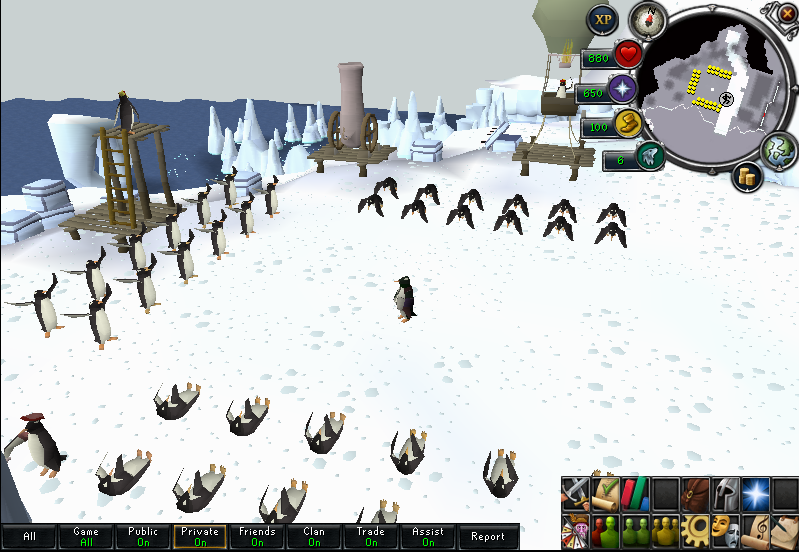
 

penguin.png


Ok because I forgot when I started RC last time I'm gonna document when I start and when I finally get to 99

So the time is 22:22pm...how conveniant ha on November 7th 2012... I mention the year cos [bleep] it I doubt I'll make it in like 2 months lol


My level is 59.. 40 lvls to go... BRING IT!

0 Comments

Recommended Comments

There are no comments to display.

Important Information

By using this site, you agree to our Terms of Use.

Account

Navigation

Search

Search

Configure browser push notifications

Chrome (Android)
  1. Tap the lock icon next to the address bar.
  2. Tap Permissions → Notifications.
  3. Adjust your preference.
Chrome (Desktop)
  1. Click the padlock icon in the address bar.
  2. Select Site settings.
  3. Find Notifications and adjust your preference.