



Defeating the BEAST!
By xxamzyxx
· 1632 views
Status: Level 86
Sanity: Relieved
XP to next lvl: 63k
Agility Tickets: 850
1000 Tickets Reached- 7 MEGA TO THE EXTREME BOOYYAHH
Ok so as uses all know if you read my blog post before I have been searching and killing basilisks to get their ....head....basically
To place it in my lovely home as a trophy.
I can now say after 5 DAYS! I have finally found one! Thank the lord!
Didn't help however that my friend came to keep me company yesterday and found one in less than an hour! And ofcourse I congratulated her accordingly.......................
So I got it stuffed in canafis for 4000 gp skipped along to taveley singing. The birds were churping the leaves were blowing in the breeze and cicling around me! :)
And finally got it on my wall, stood back and looked at it in absolute joy!
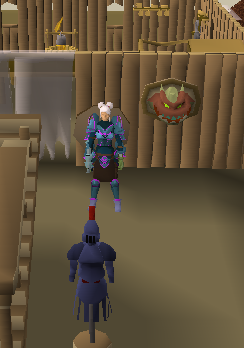
I entitled this Me and the Creepy head :)
Just to remind you guys I am actually still doing agility also as you can tell and going over the statistics I couldn't help but wonder how many levels I have gone up since I started on November 7th.
It has been 1 month annnnddd 8 days.
I started level 59
And I'm now on level 86.
Thats 27 levels..... I must admit I am some kinda jesus or God of somekind ha
Recommended Comments