



TIF DA group, Goalie Skates, Free St0fs!

By Hawks
· 1156 views
There is now a group on DeviantART for anyone who happens to have a DA account to join. It is #Tip-It-Artists. If your DA isn't some obvious variation on your TIF account I'd ask that you proclaim yourself in your request to join. Everyone is automatically a contributor, if you'd like to sign on as a co-founder (aka admin), then do that. (You may or may not end up as a co-founder, we'll decide based on your contributions to TIF and the like.)
I got new goalie skates yesterday as we were about a place that sold them and they happened to be 50% off (They're last year's model... :blink: Same thing happened with my other ones.), which was good because they were still $100 in the end. I'll find a pic.
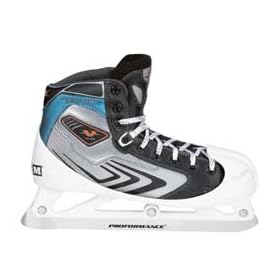
A pair of CCM Vector goalie skates, I'm unsure which version, probably the 4.0. The box is currently under a large pile of laundry.
Also I just requested this as my JDRF Walk prize. I raised $1000 this year, which I'm very proud of. After much deliberation, I decided I'd be better off with the portable speaker system than the wireless one, the hoodie, or the scooter (which I plan on buying eventually anyway- they're not that expensive). It may not be that great, but the great thing about it is it's FREE! :thumbsup: JDRF is the Juvenile Diabetes Research Foundation, a cause I fully support as I have had type 1 for nearly 8 years now... I've now had it more than half of my life. For more info, check out their website at http://www.jdrf.org .
Thanks for reading!
Recommended Comments