



Skip to content
View in the app

A better way to browse. Learn more.

Tip.It Forum

A full-screen app on your home screen with push notifications, badges and more.

To install this app on iOS and iPadOS
  1. Tap the Share icon in Safari
  2. Scroll the menu and tap Add to Home Screen.
  3. Tap Add in the top-right corner.
To install this app on Android
  1. Tap the 3-dot menu (⋮) in the top-right corner of the browser.
  2. Tap Add to Home screen or Install app.
  3. Confirm by tapping Install.

A smidge late and a pinch of goodness.

(0 reviews)

So 10 days late I finally manage to post my 2009 vs 2010 starting stats.


2009:

stats2009.png


2010:

stats2010.png


I've gotta say 2009 was probably my proud year, simply from getting 99 agility and mining. Best part was agility was updated a week after I got 99 :thumbsup:, love the speed of energy restore while resting, and while listening to musicians; well bloody hell. I enjoyed 2009 even though it went by pretty quickly, now if modern warfare 2 online could be fixed, 2010 is gonna be insane!!!


But to the present, today after a weekend of putting it off I got a little tidbit:
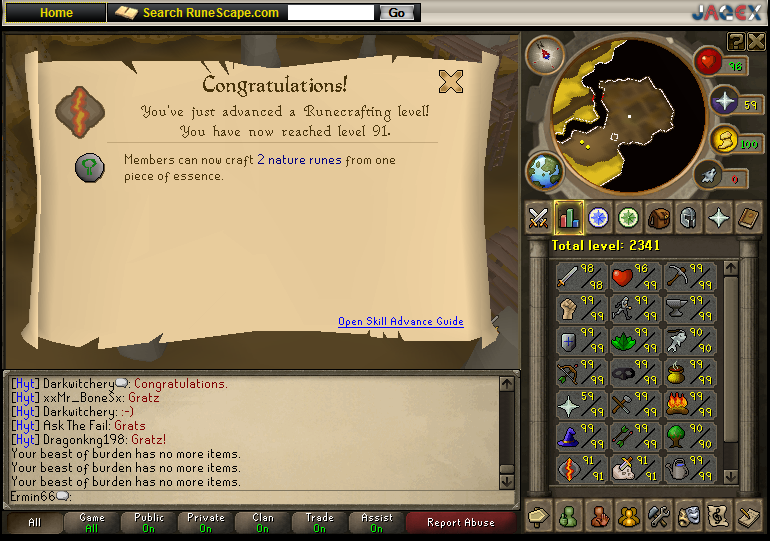
91RC.png


I know there is a huge amount of profit to be made from making nats, but it's the amount of concentration required that turns me off. But the good news is I have a chunk load of programs to stream while I play, just today Chuck returned! it's just full of goodness, but all this streaming business will be explained in a later blog but I shall leave you with the best promo ever made!!!:


http://www.youtube.com/watch?v=ua3pke477oI&feature=related

0 Comments

Recommended Comments

There are no comments to display.

Important Information

By using this site, you agree to our Terms of Use.

Account

Navigation

Search

Search

Configure browser push notifications

Chrome (Android)
  1. Tap the lock icon next to the address bar.
  2. Tap Permissions → Notifications.
  3. Adjust your preference.
Chrome (Desktop)
  1. Click the padlock icon in the address bar.
  2. Select Site settings.
  3. Find Notifications and adjust your preference.