



Skip to content
View in the app

A better way to browse. Learn more.

Tip.It Forum

A full-screen app on your home screen with push notifications, badges and more.

To install this app on iOS and iPadOS
  1. Tap the Share icon in Safari
  2. Scroll the menu and tap Add to Home Screen.
  3. Tap Add in the top-right corner.
To install this app on Android
  1. Tap the 3-dot menu (⋮) in the top-right corner of the browser.
  2. Tap Add to Home screen or Install app.
  3. Confirm by tapping Install.

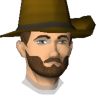
Can anyone make me a buddy image?
Featured Replies

I want him to have black [bleep]ed hair with a medium length beard, berserker helmet, rune plate, rune legs, rune kite shield, abyssal whip, dragon amulet, legends cape, addy boots thanks.

xxteargodxx.png

wow ur asking sumbody to make you one? you must really have bad mouse control

how much u payin


Why would he pay if he could make it himself if no one offers?

  • Author

no i dont have bad mouse control, I just dont have the "upgraded" buddy pack & dont know who has them so I can get them from that person which is why I'm asking someone to make me one.

xxteargodxx.png
Guest
This topic is now closed to further replies.

Important Information

By using this site, you agree to our Terms of Use.

Account

Navigation

Search

Search

Configure browser push notifications

Chrome (Android)
  1. Tap the lock icon next to the address bar.
  2. Tap Permissions → Notifications.
  3. Adjust your preference.
Chrome (Desktop)
  1. Click the padlock icon in the address bar.
  2. Select Site settings.
  3. Find Notifications and adjust your preference.