Skip to content
View in the app

A better way to browse. Learn more.

Tip.It Forum

A full-screen app on your home screen with push notifications, badges and more.

To install this app on iOS and iPadOS
  1. Tap the Share icon in Safari
  2. Scroll the menu and tap Add to Home Screen.
  3. Tap Add in the top-right corner.
To install this app on Android
  1. Tap the 3-dot menu (⋮) in the top-right corner of the browser.
  2. Tap Add to Home screen or Install app.
  3. Confirm by tapping Install.

Fire Princess

Featured Replies

fireprincess.png


original


[hide=]herescapestock001.jpg[/hide]


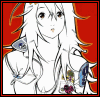
just a little piece i've been working on in my spare time, nothing terribly complex but i like it, i've been trying to add to the piece to make it better kuz i really didn't do that much, any suggestions, or corrections would be nice

legends2.jpg

I get a "Image" for the original, so here is the link


http://her-escape-stock.deviantart.com/art/herescapestock001-6794085


Pretty cool.

I Support TET!| If you want bunny PM Me.|Click For My DevArt

musics.png

^ Cowboy is the Best ^

IT'S A TRAP SHINY JUST WANTS TO STALK YOU.

Hell yeah I do. Whats your msn?

That's how it all starts.


Next he's going to ask you what flavor of candy you enjoy and whats your favorite color van.

Create an account or sign in to comment

Important Information

By using this site, you agree to our Terms of Use.

Account

Navigation

Search

Search

Configure browser push notifications

Chrome (Android)
  1. Tap the lock icon next to the address bar.
  2. Tap Permissions → Notifications.
  3. Adjust your preference.
Chrome (Desktop)
  1. Click the padlock icon in the address bar.
  2. Select Site settings.
  3. Find Notifications and adjust your preference.