




Skip to content
View in the app

A better way to browse. Learn more.

Tip.It Forum

A full-screen app on your home screen with push notifications, badges and more.

To install this app on iOS and iPadOS
  1. Tap the Share icon in Safari
  2. Scroll the menu and tap Add to Home Screen.
  3. Tap Add in the top-right corner.
To install this app on Android
  1. Tap the 3-dot menu (⋮) in the top-right corner of the browser.
  2. Tap Add to Home screen or Install app.
  3. Confirm by tapping Install.

Dang.

(0 reviews)

It's nearly noon and I haven't anything else to do, except try a bronze dragon (did earlier but I set it up wrong so it fell off the page) and do my daily Wii Fit thing. :P


No school because 'it's a blizzard out there'... They actually called school yesterday, which was nice so I didn't have to get up at 5:30. I'm working on some armor concept art for quelmotz's firemaking suggestion: http://forum.tip.it/topic/252019-reviving-firemaking-ash-equipment-charms-and-more/ Take a look and leave your thoughts!


My last.fm is hating on me and keeps playing the same 50-some songs randomly. I made this sig out of my dragon art from yesterday, for the SOTW:
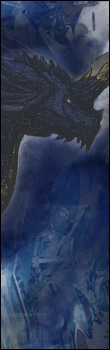
 

Vert_Tag_Drag_by_hawkxs.jpg


Yeah not much going on. Later I'll have hockey (hopefully) so that'll be fun.


And I found this epic thing on ThinkGeek that I must have:

c75a_lego_headlamp.jpg

LEGO HEAD LAMP!


Thanks for reading.

0 Comments

Recommended Comments

There are no comments to display.

Important Information

By using this site, you agree to our Terms of Use.

Account

Navigation

Search

Search

Configure browser push notifications

Chrome (Android)
  1. Tap the lock icon next to the address bar.
  2. Tap Permissions → Notifications.
  3. Adjust your preference.
Chrome (Desktop)
  1. Click the padlock icon in the address bar.
  2. Select Site settings.
  3. Find Notifications and adjust your preference.