




Skip to content
View in the app

A better way to browse. Learn more.

Tip.It Forum

A full-screen app on your home screen with push notifications, badges and more.

To install this app on iOS and iPadOS
  1. Tap the Share icon in Safari
  2. Scroll the menu and tap Add to Home Screen.
  3. Tap Add in the top-right corner.
To install this app on Android
  1. Tap the 3-dot menu (⋮) in the top-right corner of the browser.
  2. Tap Add to Home screen or Install app.
  3. Confirm by tapping Install.

Backstabber!!!

(0 reviews)

Well people seemed to oppose my title of Falador Massacre 2.0 so I chose something else :P Anyway this drawing that I started ages ago is finally done! D: I know there are plenty of perspective issues (that guy's pose was so hard to draw!) and the reflection in the sword probably makes no sense but I liked the idea of it!
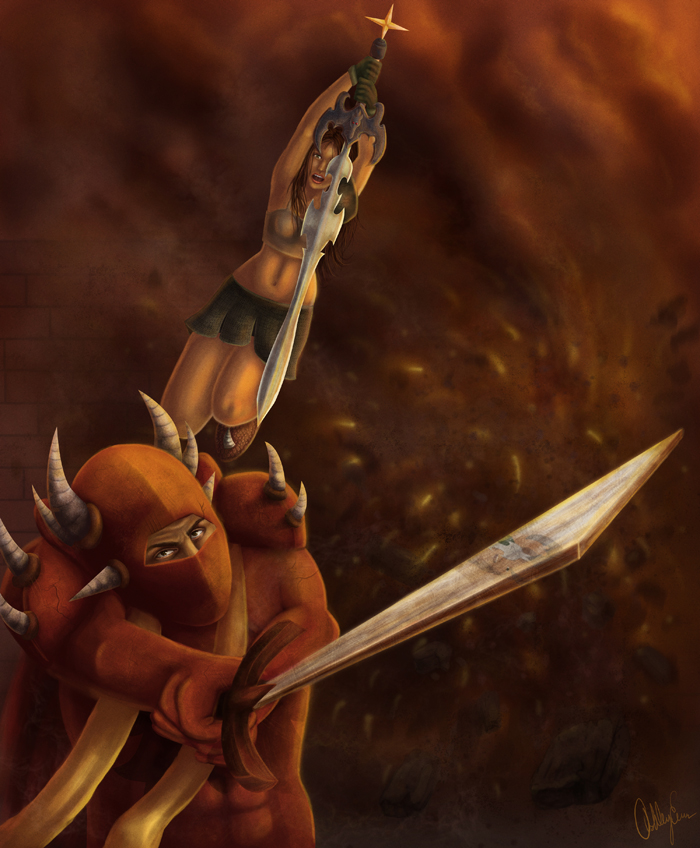
 

Backstab_by_cazzyae.jpg

4 Comments

Recommended Comments

K4ylan

Members

Very nice! The guy in the dragon looks like Scorpion from Mortal Kombat to me..icon_e_wink.gif

Kiriyama

Members

You are correct, the reflection does make no sense.


Overall, it detracts from what would be an otherwise good piece of art. The sword takes on a twisted look and in the end, makes no sense.


EDIT: And is it just me, or does the sword look blunt?

gogogopie

Members

Amazing artwork. The attention to detail is phenomenal. Also, congrats on the "featured artist" award.

Important Information

By using this site, you agree to our Terms of Use.

Account

Navigation

Search

Search

Configure browser push notifications

Chrome (Android)
  1. Tap the lock icon next to the address bar.
  2. Tap Permissions → Notifications.
  3. Adjust your preference.
Chrome (Desktop)
  1. Click the padlock icon in the address bar.
  2. Select Site settings.
  3. Find Notifications and adjust your preference.