Skip to content
View in the app

A better way to browse. Learn more.

Tip.It Forum

A full-screen app on your home screen with push notifications, badges and more.

To install this app on iOS and iPadOS
  1. Tap the Share icon in Safari
  2. Scroll the menu and tap Add to Home Screen.
  3. Tap Add in the top-right corner.
To install this app on Android
  1. Tap the 3-dot menu (⋮) in the top-right corner of the browser.
  2. Tap Add to Home screen or Install app.
  3. Confirm by tapping Install.

8 Comments

Recommended Comments

Maxingmck

Members

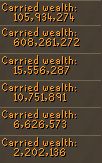
Howd you make that all?

Aiel

Members

whats the item at the bottom of your herblore tab that you have 6656 of?

Maxingmck

Members

Nice attack cape :thumbdown:

Bladewing

Members

I made it all by 76king.


And that item is caviar.

Dire_Wolf

Members

I made it all by 76king.


And that item is caviar.

Really?

Bladewing

Members

No, I figured I could get a good rile out of mckinzy by saying that.


Most of it is from monster hunting, farming, and a little flipping.

warrior5024

Members

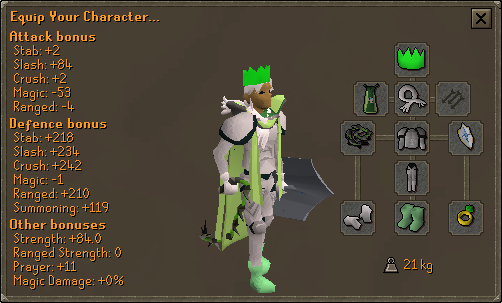
Beautiful Armor and set-up

Albel

Members

Impressive. All that really needs to be said.

Important Information

By using this site, you agree to our Terms of Use.

Account

Navigation

Search

Search

Configure browser push notifications

Chrome (Android)
  1. Tap the lock icon next to the address bar.
  2. Tap Permissions → Notifications.
  3. Adjust your preference.
Chrome (Desktop)
  1. Click the padlock icon in the address bar.
  2. Select Site settings.
  3. Find Notifications and adjust your preference.