Skip to content
View in the app

A better way to browse. Learn more.

Tip.It Forum

A full-screen app on your home screen with push notifications, badges and more.

To install this app on iOS and iPadOS
  1. Tap the Share icon in Safari
  2. Scroll the menu and tap Add to Home Screen.
  3. Tap Add in the top-right corner.
To install this app on Android
  1. Tap the 3-dot menu (⋮) in the top-right corner of the browser.
  2. Tap Add to Home screen or Install app.
  3. Confirm by tapping Install.

8 Comments

Recommended Comments

Dreezer

Members

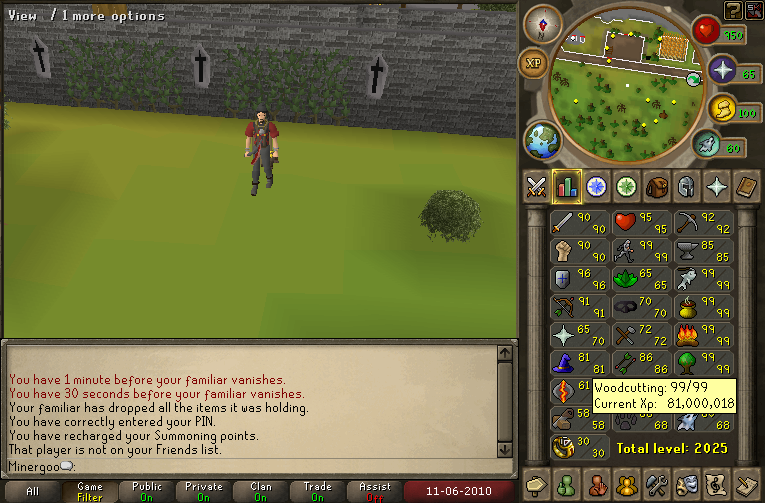
might not give that much extra exp but at least it looks better :thumbup:

PuppyKing

Members

might not give that much extra exp but at least it looks better :thumbup:


but at least it looks better :thumbup:


looks better :thumbup:


looks better


objection2.jpg

Obtaurian

Members

I [bleep]ing lol'd, Miner. :thumbup: :thumbup: :thumbup: :thumbup:

Aiel

Members

might not give that much extra exp but at least you can sing while you wc :thumbup:

fix'd

Dreezer

Members

i kinda like the looks :unsure:

Aiel

Members

I like the top+boots, hat looks terrible, legs are ok.

PereGrin

Members

Gratz, and agree with aiel, the helm looks umm.....interesting?

Kenshinjapan

Members

Ugly outfit but then again I wear it too while wcing. Nice 81 mil :o

Important Information

By using this site, you agree to our Terms of Use.

Account

Navigation

Search

Search

Configure browser push notifications

Chrome (Android)
  1. Tap the lock icon next to the address bar.
  2. Tap Permissions → Notifications.
  3. Adjust your preference.
Chrome (Desktop)
  1. Click the padlock icon in the address bar.
  2. Select Site settings.
  3. Find Notifications and adjust your preference.