Skip to content
View in the app

A better way to browse. Learn more.

Tip.It Forum

A full-screen app on your home screen with push notifications, badges and more.

To install this app on iOS and iPadOS
  1. Tap the Share icon in Safari
  2. Scroll the menu and tap Add to Home Screen.
  3. Tap Add in the top-right corner.
To install this app on Android
  1. Tap the 3-dot menu (⋮) in the top-right corner of the browser.
  2. Tap Add to Home screen or Install app.
  3. Confirm by tapping Install.

11 Comments

Recommended Comments

stonewall337

Members

A little late, no?

PereGrin

Members

i think you might have missed the usufulness of this, i mean, with it earlier, you would be almost 90m atm

PereGrin

Members

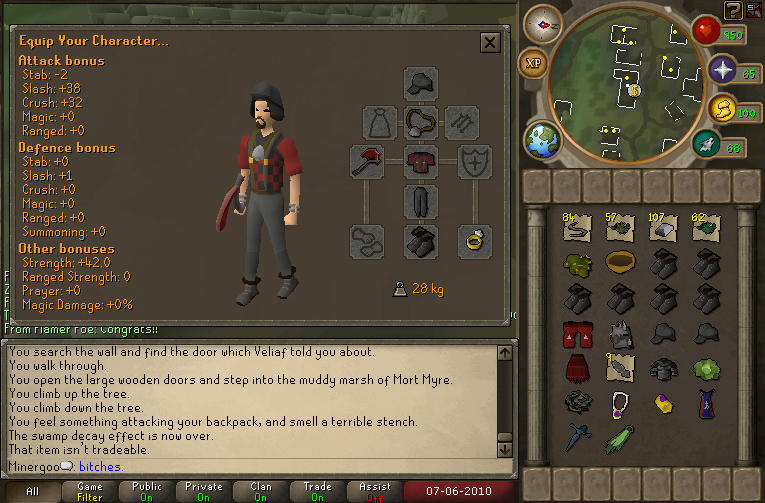
oh, and btw, i dont think you have enough lumberjack boots :P

Neos_Matrix

Members

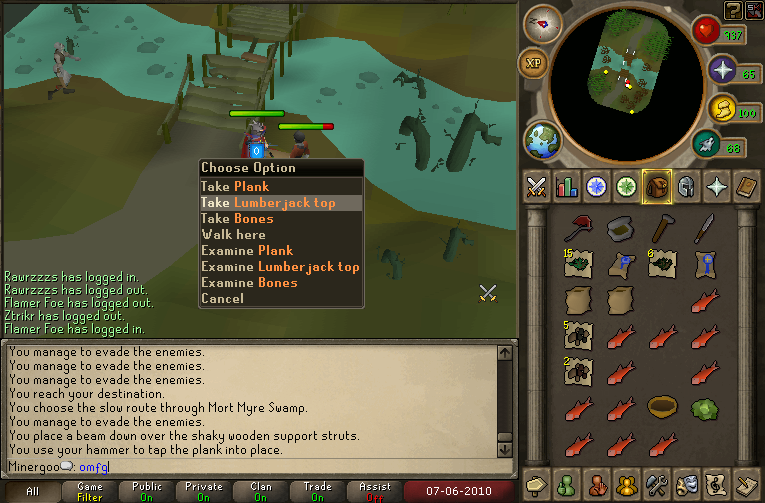
Geez, most people are unlucky.


I lost my Lumberjack Set twice, and I got it all back in like 3 hours tbh.


But gratz, dont lose it! :thumbsup:

Obtaurian

Members

FINALLY! Congratulations buddy. :thumbup: :thumbup: :thumbup: :thumbup: :thumbup:

Mirror

Members

Congrats! I remember when I got mine. Oh so many boots...

Pepsiguy

Members

hey better late then never

Aiel

Members

I have 32 sets of boots 16 hats and 1 pair of legs :s I quit trying.

Aslan

Members

Better now that at 200M :thumbsup:

Those aren't that many boots.I have 12 sets while Sheep has about 50-60 boots so yeah not that many boots :smile:

Have fun woodcutting.

Important Information

By using this site, you agree to our Terms of Use.

Account

Navigation

Search

Search

Configure browser push notifications

Chrome (Android)
  1. Tap the lock icon next to the address bar.
  2. Tap Permissions → Notifications.
  3. Adjust your preference.
Chrome (Desktop)
  1. Click the padlock icon in the address bar.
  2. Select Site settings.
  3. Find Notifications and adjust your preference.