



Skip to content
View in the app

A better way to browse. Learn more.

Tip.It Forum

A full-screen app on your home screen with push notifications, badges and more.

To install this app on iOS and iPadOS
  1. Tap the Share icon in Safari
  2. Scroll the menu and tap Add to Home Screen.
  3. Tap Add in the top-right corner.
To install this app on Android
  1. Tap the 3-dot menu (⋮) in the top-right corner of the browser.
  2. Tap Add to Home screen or Install app.
  3. Confirm by tapping Install.

99 Magic!

(0 reviews)

Been a long time coming, been 95+ for years now and just levelled it as I've went along without ever really training it. 200k mage xp Ice Strykewyrm tasks certainly helped the last few levels and will continue training it that way.
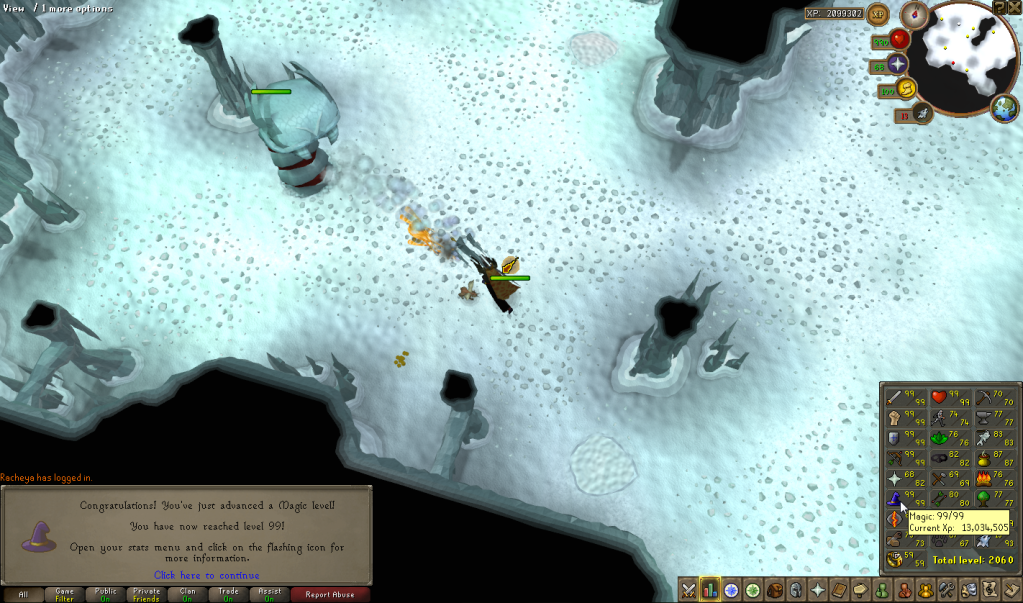
 

ScreenShot290-1.png


Next up is 99 slayer which should be Wednesday/Thursday. I've had 1.2M slayer xp since Saturday so yeah... that'll be soon :P

4 Comments

Recommended Comments

Dax

Members

Congrats man!

Woohoo! Grats, Mike! Really really awesome that you finally got it! :thumbsup:

DarkDude

Members

Thanks guys :D

Siobhana

Members

Conga rats to you :)


Good job, now please take care of my last 1.2M xp and hand over all effigies to my bank :D

Important Information

By using this site, you agree to our Terms of Use.

Account

Navigation

Search

Search

Configure browser push notifications

Chrome (Android)
  1. Tap the lock icon next to the address bar.
  2. Tap Permissions → Notifications.
  3. Adjust your preference.
Chrome (Desktop)
  1. Click the padlock icon in the address bar.
  2. Select Site settings.
  3. Find Notifications and adjust your preference.