Skip to content
View in the app

A better way to browse. Learn more.

Tip.It Forum

A full-screen app on your home screen with push notifications, badges and more.

To install this app on iOS and iPadOS
  1. Tap the Share icon in Safari
  2. Scroll the menu and tap Add to Home Screen.
  3. Tap Add in the top-right corner.
To install this app on Android
  1. Tap the 3-dot menu (⋮) in the top-right corner of the browser.
  2. Tap Add to Home screen or Install app.
  3. Confirm by tapping Install.

Digital painting

(0 reviews)

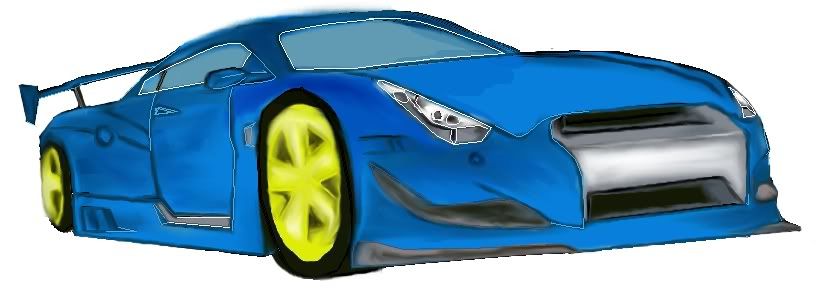
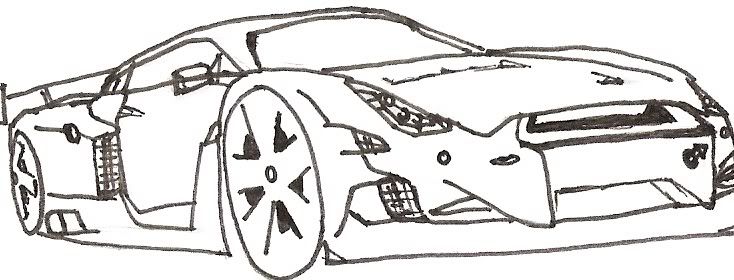
I've been doing a few drawings so that I can make a unique siggy, it's freaking tough to do but I think I'm getting it somewhat. Have a look and comment if you like. I did it using the sketch on paper method and transfer it to GIMP. Keep refining till it look decent (again it's lengthy process).


First step
scan0004.jpg


final product

gt-r.jpg


My previous attempt which wasn't that good :unsure:
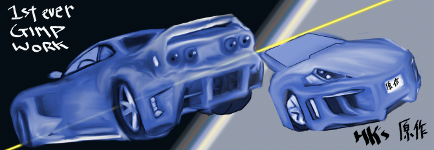
BnWcarSig.png


Again, I'll be continuing on more painting cause, it's really great and keeps me off runescape LoL.

4 Comments

Recommended Comments

Sanitys_Requiem

Members

It looks good, the only thing I notice instantly is the misshapen wheel, the closest one to the viewer. I'm sure you'll fix that in refining though, and work on smoothing out your harsh lines, remember, cars are organic figures, not geometric.

HOSTiLE_KAi

Members

Yes, you're right especially on the wheel. :wall: It looks like it'll be couple minutes of work on fixing those, blending the colours.


Thanks Sanitys for pointing those out :-)

Slayer_Jesse

Members

I'm no artist, but those white outlines stick out like a sore thumb. just sayin.

HOSTiLE_KAi

Members

I'm no artist, but those white outlines stick out like a sore thumb. just sayin.

True, my most familiar technique is just smudge all over the place but causes some coarse lines. It's the best method I guess unless....right...by looking at more guides :ugeek:

Important Information

By using this site, you agree to our Terms of Use.

Account

Navigation

Search

Search

Configure browser push notifications

Chrome (Android)
  1. Tap the lock icon next to the address bar.
  2. Tap Permissions → Notifications.
  3. Adjust your preference.
Chrome (Desktop)
  1. Click the padlock icon in the address bar.
  2. Select Site settings.
  3. Find Notifications and adjust your preference.