Skip to content
View in the app

A better way to browse. Learn more.

Tip.It Forum

A full-screen app on your home screen with push notifications, badges and more.

To install this app on iOS and iPadOS
  1. Tap the Share icon in Safari
  2. Scroll the menu and tap Add to Home Screen.
  3. Tap Add in the top-right corner.
To install this app on Android
  1. Tap the 3-dot menu (⋮) in the top-right corner of the browser.
  2. Tap Add to Home screen or Install app.
  3. Confirm by tapping Install.

Avatar/MSN Display Image Request (Photo Inside)

Featured Replies

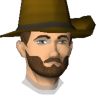
Hello everyone, I'm looking for a nice avatar to use on Forums and MSN as my Display Image. Here is a picture of what I want to be in it as well. I'd prefer if someone decides to make it to maybe have my name and a few stars in the background of it (Use any colors you like just make it look good :P)


Name: XxTearGodxX


Photo:


bunnyi.jpg

xxteargodxx.png

Can you save it as a .png?


...anyway, here's something:


Avatar.png

- Np Tyler

  • Author

Yeah I just updated the picture in my post as a .PNG


Would you be able to squeeze in my characters whole body? :o


EDIT: I have to go out for a bit but the picture in my first post has been updated the character is facing straight now and the picture is saved as .PNG


Also if you can fit his whole body in that'd be great, if not then just like what you did before would work.


xxteargodxx.png

Create an account or sign in to comment

Important Information

By using this site, you agree to our Terms of Use.

Account

Navigation

Search

Search

Configure browser push notifications

Chrome (Android)
  1. Tap the lock icon next to the address bar.
  2. Tap Permissions → Notifications.
  3. Adjust your preference.
Chrome (Desktop)
  1. Click the padlock icon in the address bar.
  2. Select Site settings.
  3. Find Notifications and adjust your preference.