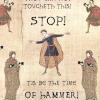
April 26, 200917 yr I've currently got a few pictures from the last few weeks or so that i'd like to put into the general discussion topic. However i've cropped the pics so that only the text box remains, but i can't seem to get rid of the white drawing area from paint. So basically i have a pic like: Anyone have any idea how i can get just the pic? Reacting impulsively and saying what's on your mind feels oh so good.. for a little, until you realize you just started WWIII.2672nd person to reach 2496 total.Thanks to Wicked for the awesome siggy :D
April 26, 200917 yr Download Paint.NET (Google it, it's free :thumbsup: ), select the white space you don't want, delete it, resize the attributes then save as a .gif or .png?( They both allow transparents and such) Or download Paint.NET select the part you do want, copy, go to new, paste, then save as a .gif or .png. Hope this helps. : P.s: The program is free. If you see a price tag, it's the wrong site, pm me and I'll give you the proper site. ---EDIT---
April 26, 200917 yr Author :thumbsup: thank you so much zokot Reacting impulsively and saying what's on your mind feels oh so good.. for a little, until you realize you just started WWIII.2672nd person to reach 2496 total.Thanks to Wicked for the awesome siggy :D




Create an account or sign in to comment