



Skip to content
View in the app

A better way to browse. Learn more.

Tip.It Forum

A full-screen app on your home screen with push notifications, badges and more.

To install this app on iOS and iPadOS
  1. Tap the Share icon in Safari
  2. Scroll the menu and tap Add to Home Screen.
  3. Tap Add in the top-right corner.
To install this app on Android
  1. Tap the 3-dot menu (⋮) in the top-right corner of the browser.
  2. Tap Add to Home screen or Install app.
  3. Confirm by tapping Install.

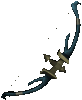
Can someone find the Hexhunter bow in the cache?
Featured Replies

Question is in the title. I'd really appreciate it if someone could find that for me. I don't know how to access the cache myself.


EDIT: Speaking of not knowing how to do it . . . anyone care to give me a tutorial?


EDIT2: Nevermind on the tutorial. Against Tip.it policy.

dgs5.jpg
To put it bluntly, [bleep] off.

EDIT: Speaking of not knowing how to do it . . . anyone care to give me a tutorial?

I think it's against Tip.it's policy to publicly describe how to access the cache. I can take a look for you though...

I'll try looking for it. Some of the models are corrupted so no guarantees.

But yeah, it is against policy to discuss the methods for security reasons.


Policy is here: http://forum.tip.it/topic/269903-updated-runescape-cache-policy/


Edit:

hex.png

Want to help the Tip.It Crew? Visit the Website Updates & Corrections forum!

Guest
This topic is now closed to further replies.

Important Information

By using this site, you agree to our Terms of Use.

Account

Navigation

Search

Search

Configure browser push notifications

Chrome (Android)
  1. Tap the lock icon next to the address bar.
  2. Tap Permissions → Notifications.
  3. Adjust your preference.
Chrome (Desktop)
  1. Click the padlock icon in the address bar.
  2. Select Site settings.
  3. Find Notifications and adjust your preference.