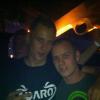
January 10, 201313 yr Hello everyone! My name is Pascal, 21 years young and I'm from Holland! I play RS since 2001, had different accounts and now just sticking to this one: Pascal Sweet I recently joined The Council Of Elders clan and I'm very happy with this clan! My hobbies are almost every kind of sports, but Football is the #1. I'm a diehard AFC Ajax fan and I goto almost every home match. so any questions? ^^ just shoot them and I'll do my best to answer them! Never argue with idiots, they will drag you down to their level, and beat you with experience
January 10, 201313 yr Welcome to TIF! :) Check out my blog to read the Adventures of a Big Damn (F2P) Hero. THE place for all free players to connect, hang out and talk about how awesome it is to be F2P. So, Kaida is the real version of every fictional science-badass? That explains a lot, actually...
January 12, 201313 yr Welcome to the forum :) WILDERLAND FROM 2006-2014 RIPThe dark one will take your soulMINING GOLDS MEMBER SINCE 2013




Create an account or sign in to comment