Skip to content
View in the app

A better way to browse. Learn more.

Tip.It Forum

A full-screen app on your home screen with push notifications, badges and more.

To install this app on iOS and iPadOS
  1. Tap the Share icon in Safari
  2. Scroll the menu and tap Add to Home Screen.
  3. Tap Add in the top-right corner.
To install this app on Android
  1. Tap the 3-dot menu (⋮) in the top-right corner of the browser.
  2. Tap Add to Home screen or Install app.
  3. Confirm by tapping Install.

Hey People

Featured Replies

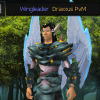
Hey there guys its Callum here aka Draxxus PvM. I'm 20 from Dartford in London and have been an active scaper since 06 and continue too love every aspect of the game. Feel free too add me in game, im often online and always looking to go bossing, dunging or some casual skilling :P


just a little about me, i currently study Accounting and Finance (don't ask) at Aberysywth <-- still cant spell it after 3 years) and main interests are obviously all aspects of gaming, attempts at youtube/twitch videos as well as my strong love for Cricket and Sleeping. 


Anyway, ive rambled on too much so you stay classy Scapers.


Peace

 Draxxus_Pvm.png

Welcome! I share your strong love of sleeping. enjoy the boards!

sculpin_ipa.png

Welcome to the forums!

oaM0.png
fXPnd.png

Create an account or sign in to comment

Important Information

By using this site, you agree to our Terms of Use.

Account

Navigation

Search

Search

Configure browser push notifications

Chrome (Android)
  1. Tap the lock icon next to the address bar.
  2. Tap Permissions → Notifications.
  3. Adjust your preference.
Chrome (Desktop)
  1. Click the padlock icon in the address bar.
  2. Select Site settings.
  3. Find Notifications and adjust your preference.