Skip to content
View in the app

A better way to browse. Learn more.

Tip.It Forum

A full-screen app on your home screen with push notifications, badges and more.

To install this app on iOS and iPadOS
  1. Tap the Share icon in Safari
  2. Scroll the menu and tap Add to Home Screen.
  3. Tap Add in the top-right corner.
To install this app on Android
  1. Tap the 3-dot menu (⋮) in the top-right corner of the browser.
  2. Tap Add to Home screen or Install app.
  3. Confirm by tapping Install.

6 Comments

Recommended Comments

PereGrin

Members

so are you gonna be posting a 74 crafting update soon then?

PuppyKing

Members

so are you gonna be posting a 74 crafting update soon then?

Yes, updated.

Dax

Members

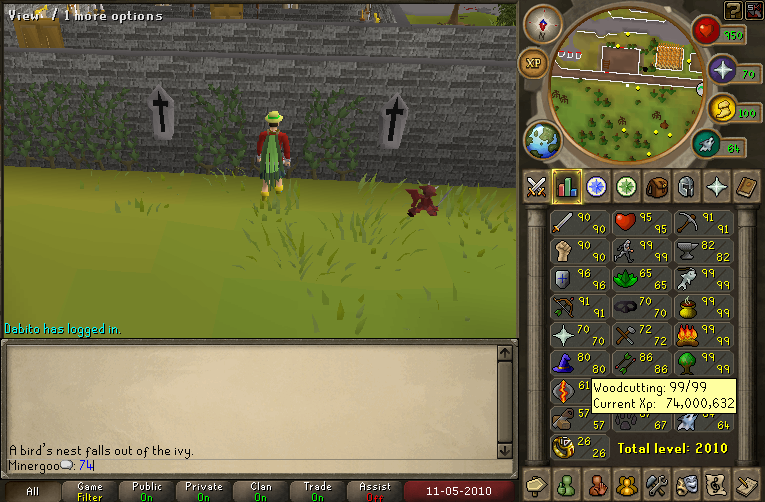
Hawt. Have fun emptying those nests after 200? :rolleyes:

Skeptical

Members

Wow, that's awesome dude.


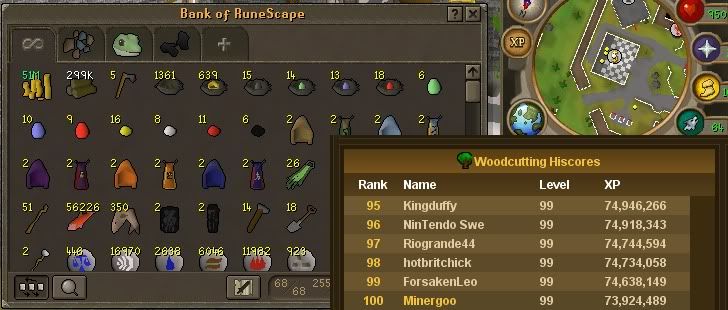
Wonder how many mage seeds you'll be picking out of those.

12pure34

Members

You got any money invested somewhere? Or what do you do besides cutting ivy's all day long?

I'm the boss, need the info!

PereGrin

Members

Awesome, gratz on the lvl up. :thumbsup:

Important Information

By using this site, you agree to our Terms of Use.

Account

Navigation

Search

Search

Configure browser push notifications

Chrome (Android)
  1. Tap the lock icon next to the address bar.
  2. Tap Permissions → Notifications.
  3. Adjust your preference.
Chrome (Desktop)
  1. Click the padlock icon in the address bar.
  2. Select Site settings.
  3. Find Notifications and adjust your preference.