



Skip to content
View in the app

A better way to browse. Learn more.

Tip.It Forum

A full-screen app on your home screen with push notifications, badges and more.

To install this app on iOS and iPadOS
  1. Tap the Share icon in Safari
  2. Scroll the menu and tap Add to Home Screen.
  3. Tap Add in the top-right corner.
To install this app on Android
  1. Tap the 3-dot menu (⋮) in the top-right corner of the browser.
  2. Tap Add to Home screen or Install app.
  3. Confirm by tapping Install.

60: Overloads and Stuff?

(0 reviews)

First up this week was 89 Dungeoneering, hopefully the first of many Dungeoneering levels thanks to the solo rebalance:
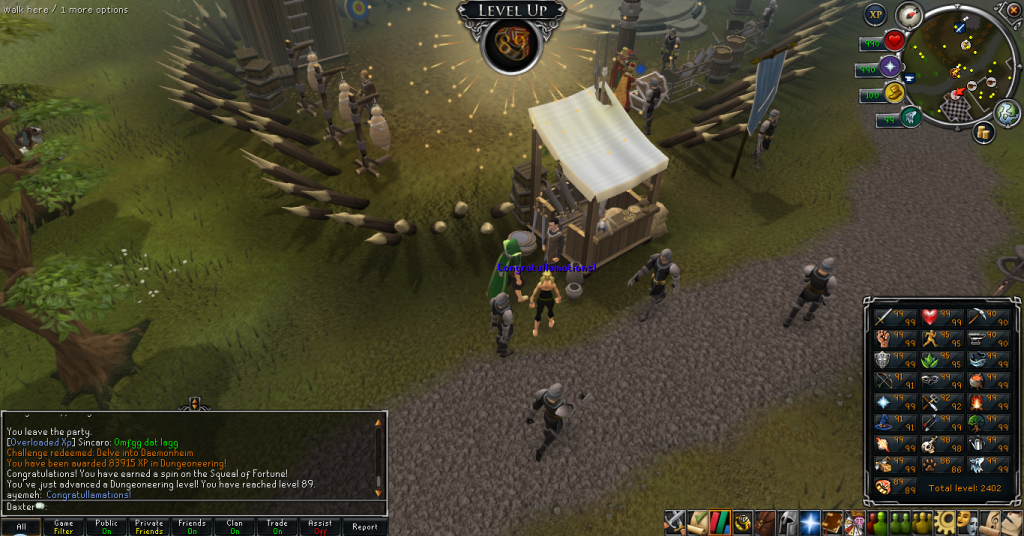
89Dungeoneering.png


(Though I have no idea how it'll work out with EoC now out)


Not that I've made any Overloads at all yet, I now can! I got 10,000 Fellstalk potions (unf) for 1M after BXP weekend (Saving around 10M at the time) and decided to used them all up.

96Herblore.png


Still have enough for a little bit into 97, too. Catch you next time, ~Dax.

1 Comment

Recommended Comments

Pepsiguy

Members

yayyyyyyyy

Important Information

By using this site, you agree to our Terms of Use.

Account

Navigation

Search

Search

Configure browser push notifications

Chrome (Android)
  1. Tap the lock icon next to the address bar.
  2. Tap Permissions → Notifications.
  3. Adjust your preference.
Chrome (Desktop)
  1. Click the padlock icon in the address bar.
  2. Select Site settings.
  3. Find Notifications and adjust your preference.