




Skip to content
View in the app

A better way to browse. Learn more.

Tip.It Forum

A full-screen app on your home screen with push notifications, badges and more.

To install this app on iOS and iPadOS
  1. Tap the Share icon in Safari
  2. Scroll the menu and tap Add to Home Screen.
  3. Tap Add in the top-right corner.
To install this app on Android
  1. Tap the 3-dot menu (⋮) in the top-right corner of the browser.
  2. Tap Add to Home screen or Install app.
  3. Confirm by tapping Install.

82: 100.

(0 reviews)

Very little this week. I got this with only three hours left in the week. 100 Dungeoneering! Huzzah!

100Dungeoneering_zps2fca0cf3.png


And the second scroll for the Seasinger Robe Top.
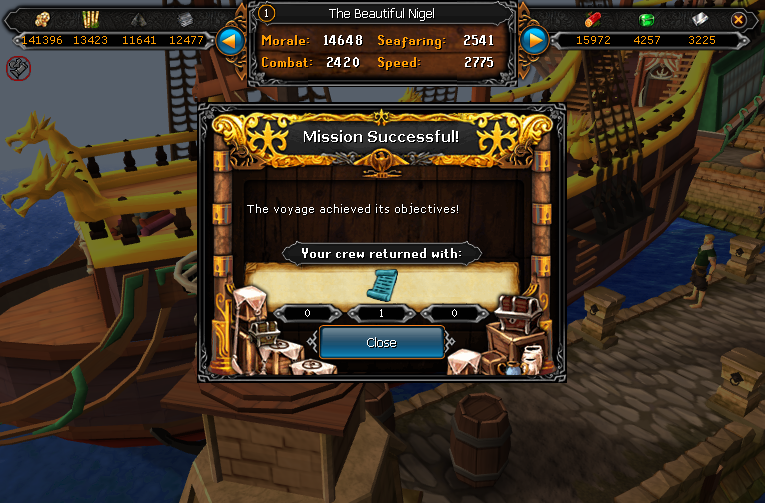
SeasingerTopScroll02_zps5d1de8e5.png


And that's all for this very boring week. Sorry I didn't have any more. Catch you next time, ~Dax.

4 Comments

Recommended Comments

Pepsiguy

Members

YAYYYYYYYYYYYYYYYYYYY.

Dax

Members

PEPSI! I'VE MISSED YOU. WHAT'S BEEN HAPPENING?

Pepsiguy

Members

Nothin much, I didn't have internet for awhile, so I've been somewhat productive.

PolarBearBlue

Members

Oh how I want to pass scroll missions...

Important Information

By using this site, you agree to our Terms of Use.

Account

Navigation

Search

Search

Configure browser push notifications

Chrome (Android)
  1. Tap the lock icon next to the address bar.
  2. Tap Permissions → Notifications.
  3. Adjust your preference.
Chrome (Desktop)
  1. Click the padlock icon in the address bar.
  2. Select Site settings.
  3. Find Notifications and adjust your preference.