Skip to content
View in the app

A better way to browse. Learn more.

Tip.It Forum

A full-screen app on your home screen with push notifications, badges and more.

To install this app on iOS and iPadOS
  1. Tap the Share icon in Safari
  2. Scroll the menu and tap Add to Home Screen.
  3. Tap Add in the top-right corner.
To install this app on Android
  1. Tap the 3-dot menu (⋮) in the top-right corner of the browser.
  2. Tap Add to Home screen or Install app.
  3. Confirm by tapping Install.

where to improve?

Featured Replies

gekkostateandNirvash2.jpg


^ well recently i got photoshop and just got down the basics and tossed this little thing together over the last couple hours, any suggestions on where to improve?

legends2.jpg

maybe make the blue backround green


p.s. got air gear book, it is a good read

firmadibsenis8.jpg

the background is a little empty.

spidermancityod6.png

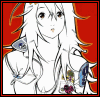
pixel sig and avatar by me.

  • Author
maybe make the blue backround green


p.s. got air gear book, it is a good read


explain? and yes it is, air gear 4 just came out


the background is a little empty


you should have seen it before <.< but im not sure what to put without making it too crowded

legends2.jpg

Create an account or sign in to comment

Important Information

By using this site, you agree to our Terms of Use.

Account

Navigation

Search

Search

Configure browser push notifications

Chrome (Android)
  1. Tap the lock icon next to the address bar.
  2. Tap Permissions → Notifications.
  3. Adjust your preference.
Chrome (Desktop)
  1. Click the padlock icon in the address bar.
  2. Select Site settings.
  3. Find Notifications and adjust your preference.