



Skip to content
View in the app

A better way to browse. Learn more.

Tip.It Forum

A full-screen app on your home screen with push notifications, badges and more.

To install this app on iOS and iPadOS
  1. Tap the Share icon in Safari
  2. Scroll the menu and tap Add to Home Screen.
  3. Tap Add in the top-right corner.
To install this app on Android
  1. Tap the 3-dot menu (⋮) in the top-right corner of the browser.
  2. Tap Add to Home screen or Install app.
  3. Confirm by tapping Install.

XxCavalierXx

Members
  • Joined

  • Last visited

Everything posted by XxCavalierXx

  1. 28307
  2. 28309
  3. 28312
  4. 30,000 - 1,292 = 28,708
  5. 0111 0000 1100 1010 28874
  6. Somebody dropped the ball up there, CFJ *cough* 29,190
  7. 16384 + 8192 + 4096 + 0 + 1024 + 0 + 0 + 128 + 0 + 0 + 16 + 8 + 4 + 2 + 1 aka 29,855
  8. until he saw
  9. 29,860!
  10. 29,871 bats hanging in the steeple One bat flies out through the door That makes 29,870 bats in my belfry WONDERFUL! But wait, there's more ...
  11. in a dream
  12. ½ of 59764
  13. 0010 1001 1001 0010 0100
  14. two.nine.nine.two.nine
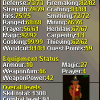
  15. TNPW post their oldest Runescape screenshot, no matter what it is.
  16. 0111 0100 1111 0001 AKA xxMxCMXXXVII AKA 29937
Important Information

By using this site, you agree to our Terms of Use.

Account

Navigation

Search

Search

Configure browser push notifications

Chrome (Android)
  1. Tap the lock icon next to the address bar.
  2. Tap Permissions → Notifications.
  3. Adjust your preference.
Chrome (Desktop)
  1. Click the padlock icon in the address bar.
  2. Select Site settings.
  3. Find Notifications and adjust your preference.