



Skip to content
View in the app

A better way to browse. Learn more.

Tip.It Forum

A full-screen app on your home screen with push notifications, badges and more.

To install this app on iOS and iPadOS
  1. Tap the Share icon in Safari
  2. Scroll the menu and tap Add to Home Screen.
  3. Tap Add in the top-right corner.
To install this app on Android
  1. Tap the 3-dot menu (⋮) in the top-right corner of the browser.
  2. Tap Add to Home screen or Install app.
  3. Confirm by tapping Install.

#10: Completionist: Week 2.

(0 reviews)

Not much in the ways of levels. Incredibly boring week. Didnt really have any motivation for RS.


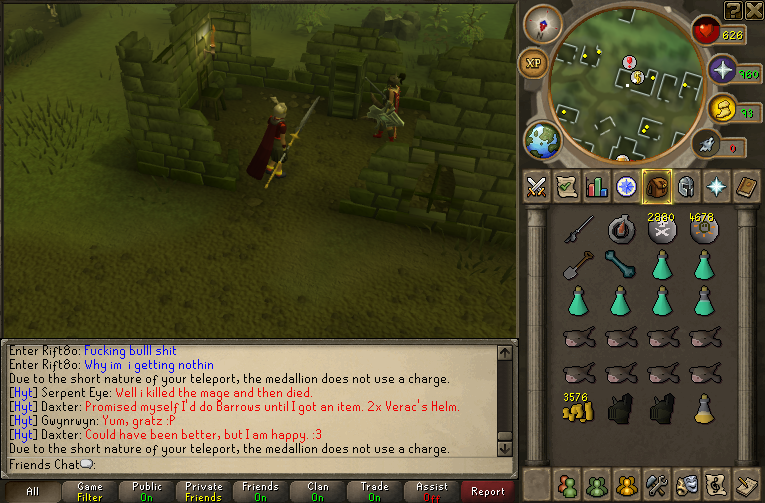
Got double Veracs Helms in the 2x weekend:
2xVeracs.png

(Probably a terrible set-up, too :3)


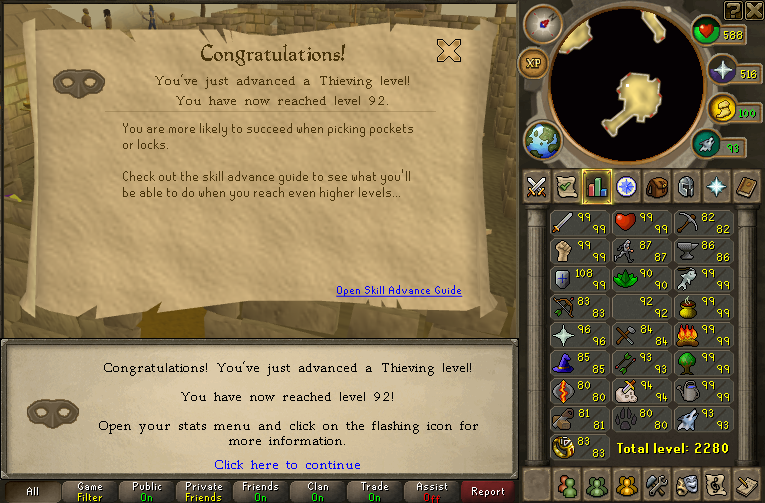
And 92 Thieving:
92.png


And thats it. Hopefully more next week. Catch you next time, ~Dax.

3 Comments

Recommended Comments

12pure34

Members

Gief moar levels :D Would love to see you hunting somewhat stronger bosses for that faster money so you can gain some levels faster :D You didn't participate on the double dung weekend I think?

Dax

Members

@Pure: I did a little Dungeoneering, but got bored of it quick. 2x Weekends annoy me, they give me the feeling I have to play. I don't like that. So I forced myself to do Barrows until I got an item.

12pure34

Members

Can I force you into doing doing some fun games of Trouble Brewing then?

Important Information

By using this site, you agree to our Terms of Use.

Account

Navigation

Search

Search

Configure browser push notifications

Chrome (Android)
  1. Tap the lock icon next to the address bar.
  2. Tap Permissions → Notifications.
  3. Adjust your preference.
Chrome (Desktop)
  1. Click the padlock icon in the address bar.
  2. Select Site settings.
  3. Find Notifications and adjust your preference.