Skip to content
View in the app

A better way to browse. Learn more.

Tip.It Forum

A full-screen app on your home screen with push notifications, badges and more.

To install this app on iOS and iPadOS
  1. Tap the Share icon in Safari
  2. Scroll the menu and tap Add to Home Screen.
  3. Tap Add in the top-right corner.
To install this app on Android
  1. Tap the 3-dot menu (⋮) in the top-right corner of the browser.
  2. Tap Add to Home screen or Install app.
  3. Confirm by tapping Install.

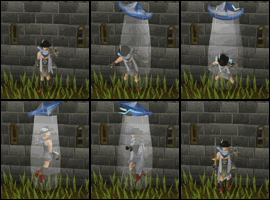
Can you guys see this gif at the normal speed

Featured Replies

Title & description says it all.


I'm posting it here as im currently working on an animated signature with it so i guess it belongs to this forum. ;)


questanim.gif


Thanks :D


Gradeskippy

w3bi.png


7ahl.pngZr.png1buy.png


eblo.png

I catch a tad bit of a lag (split second or two) at either the start of the end (it differs each cycle), but I do have some programs running. Possibly just your connection, or RAM usage?

~ Proud Father ~ Proud (Currently Deployed) Army National Guardsmen ~ Proud Lakota ~ Retired Tip.It Crew ~
 

Not at normal speed to me. :unsure:

#KERR2016/17/18/19/20/21.


#rpgformod

Seems slow for me aswell.

2257AD.TUMBLR.COM

Well seeing as you're going to have to take at least 700kb off it anyway, I would slow the framerate down to, say, 5fps.

C2b6gs7.png

  • Author

Ty everyone for taking some time to reply :)


and Thanks dsavi i tried playing with fps and managed to get this.


questanim6.gif


I know the file is huge, i've made 5 animated sigs so far, this will be my 6th, and none of them except one which i had to modifiy (Bored321's) is being used on tif.


w3bi.png


7ahl.pngZr.png1buy.png


eblo.png

Create an account or sign in to comment

Important Information

By using this site, you agree to our Terms of Use.

Account

Navigation

Search

Search

Configure browser push notifications

Chrome (Android)
  1. Tap the lock icon next to the address bar.
  2. Tap Permissions → Notifications.
  3. Adjust your preference.
Chrome (Desktop)
  1. Click the padlock icon in the address bar.
  2. Select Site settings.
  3. Find Notifications and adjust your preference.