



Gradeskip
Members
-
Joined
-
Last visited
Everything posted by Gradeskip
-
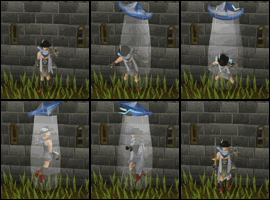
My easy steps of the day: -Morning: My bond expired. -I wanted to stay member. -I bought a new one. -I wanted my money back. -I geared up and decided to solo TDs for the first time in years. -30 kills. -this. :D
-
Newest 99 : Ranged! Wooooo! :D Now Max combat! I got myself a new toy :3 And back to dung for now :) Tyvm for everyone who attended <3:
-
Summer term at uni is over! I'm back to P2P! :D I was 95 this morning. 430k xp/h with clan avatar + GF at work = this. :shades: I should have a new 99 soon! :)
-
Stev's a pro. :shades: Grats!
-
Congratulations to all of you! :D
-
Still have this problem... -.-
-
Then I advise you to post on the RSOF in the Tech Support section. There's more active people in that section than on TIF, and some JMods can also help. Or you can also read others posts and see if someone has the same bug as you! If you want to play in the mean time, you could download the client and that should work!
-
1. Go to Start > Control panel > Add/Remove programs 2. Uninstall ALL versions of Java 3. Download Java 7u60 download page on Java Download / Sun's website: http://javadl.sun.com/webapps/download/AutoDL?BundleId=90223 4. Install the update 5. Once installed, restart your computer
-
RS has a problem with the latest Java version... Go on the java site and download the previous one, it worked for me!
-
Hai I post on your blog :twss:
-
Very, very nice! Congrats!! :)
-
Congrats mate :)
-
My FriendList is full of my old time friends that have quit a while ago, I keep them because sometimes one logs in and it makes my day! With this I guess I will log in one day and I will have a list full of "#player712940" and such?
-
Seriously Jagex? What is even the point of doing this...
-
You're alive! Woot :D Hai! :twss: I always associated that smiley to you btw. Re-add me if you deleted me (I haven't seen you on! :o) My username is Zr but old friends still call me Grade ;) Hoping to hear from you soon! <3: Edit: [hide=O] [/hide] ~The Skipper
-
I used to have better stats than you </3 Noob <3
-
Hey Ryan, long time no see! You should add me on that acc :D
-
-
Is it a one-time cleanup? Or we'll have to log in onto our account once every 6 months/2 years forever to keep our name?
-
0 :)
-
I am unfortunately too busy with University and activities, but good luck everyone! :)
-
Well done Drumgun! (:
-
-
Even if this is not the real RS, I've always dreamed of seeing this in my bank. ;3 I think I'd rather play Beta than f2p now... Anyone knows how long it'll be available?
-
