




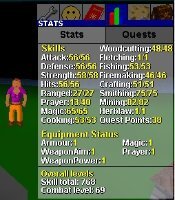
Red_Tanya
Members
-
Joined
-
Last visited
Everything posted by Red_Tanya
-
From the pages of Jagex: (RSOF Quick find code: 15-16-377-58369351)
-
That's where I go. Trollheim teleport, go west down the mountain and up a little north to their village. I believe there are 8 or so trolls there to pick on.
-
RSOF Quick find code: 15-16-495-58313867
-
Thread locked. This was a trolling event created out of someone's obvious boredom. He's been "warned".Hope that clarifys a few things.Thanks for all the input everyone - both positive and negative. This IS the best community and you're all part of it! Merry Christmas!Ill attempt at sarcasm, I guess.I'm already on the original list, so please add me to the new Staff list. Red Tanya - P2PImportant information posted up in the RSOF (Quick find code: 15-16-539-58013800): Feel free to discuss these changes...Since you've all decided to just spam this old topic, you can thank yourselves for having it locked.Well, since this topic can't help but invoke flaming... and sure enough, it's pretty well degraded into personal attacks, I'm sticking a fork in it. It's done.Posted in the RSOF (Quick find code: 15-16-957-57759954)Good guide. After quest completion, go to the Museum, go up one flight of stairs, and talk to Historian Minas. Tell him that you might have some information that might be of use in his displays. You'll tell him of the whole zombie invasion. He rewards you with a 1k experience lamp and more Kudos.Absolutely ensure you're running a firewall. Are you using just KAV (Kaspersky Antivirus) or KIS (Kaspersky Internet Security)? KIS includes a firewall. For the best peace of mind, you should post up a HijackThis log where everyone can help you to determine your current situation - whether you're good to go or not.Clean log :)Also, you just typed "jjjkkklll" into this thread, and it didn't crash. Must be fixed. :)Silv, that's hilarious. -You're crazy! and I'm getting a little scared :ohnoes:Answered - locked. (and in the future guys, please show a litle more civility and respect to one another)Looks like only a small handful of people here utilize the multiple tabs available now in IE. When I start Internet Explorer for example here at work :) , I have 7 tabbed "homepages" load automatically: - 3 related to my company's intranet - Excite (for the latest news, etc.) - Tipit main page - Tipit forums index - Jagex (Runescape) main page At home, I have 7 or 8 tabs set as homepages too, similar to above but no company stuff. Since I'm going to be browsing all those sites anyway, off and on continuously through the day (or night), having them ready to go makes a lot of sense :)As long as there are constructive and contributory additions to the original topic, it's not considered a bad or reportable "bump". I always bless people's gravestones. What goes around comes around.....You ought to know better.This topic is done to death - almost daily. Sorry.Been done to death already.You have to talk to Aggie in Draynor 1st before you can get back into the fishing contest area. Go down into the Lumby swamp CAVES to find the eel fishing spots.
Important Information
By using this site, you agree to our Terms of Use.